Account
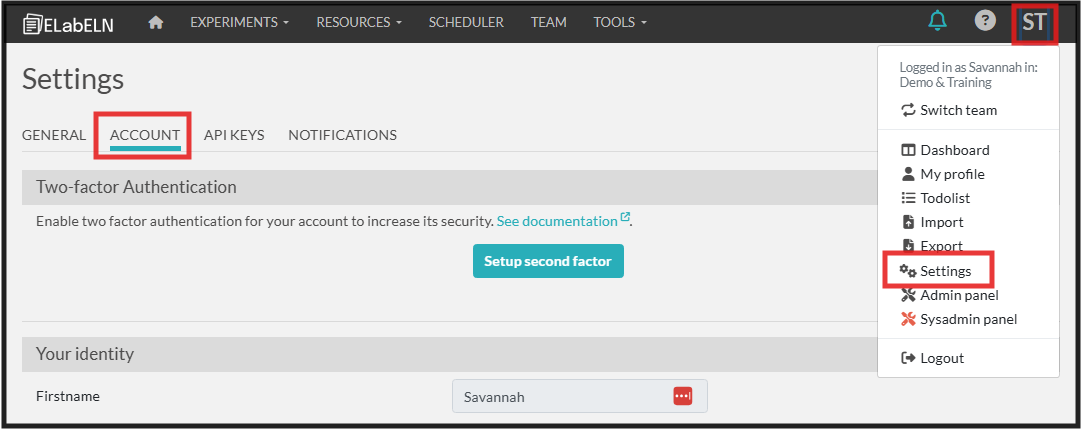
The account tab under your settings is where you set up your signature key for assigning signatures to entries.
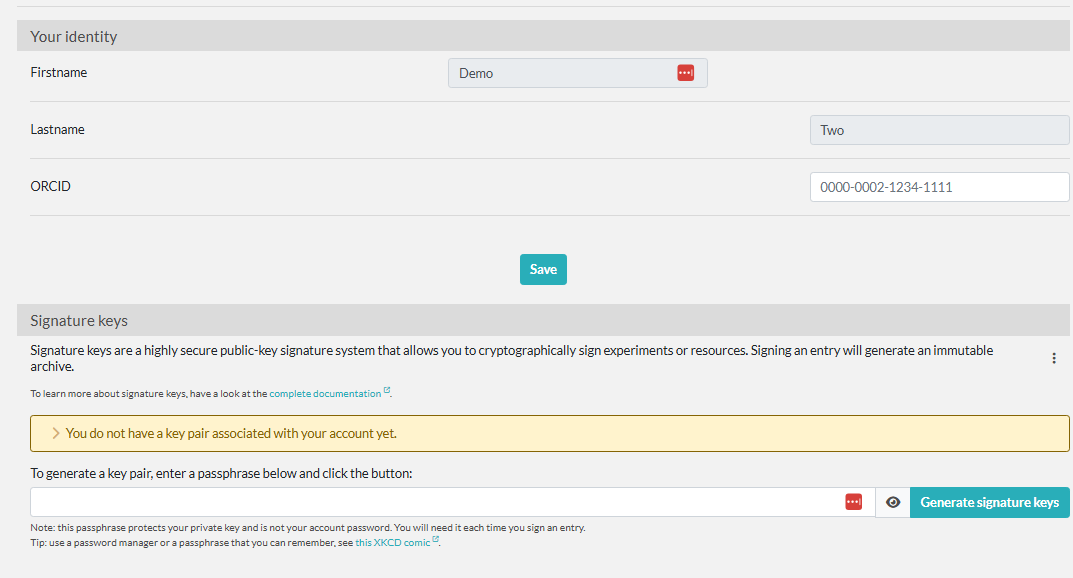
Enter in a passphrase specific to your signature here and you'll be ready to start signing in the ELabELN!

The account tab under your settings is where you set up your signature key for assigning signatures to entries.
Enter in a passphrase specific to your signature here and you'll be ready to start signing in the ELabELN!