Users and User Groups - for Admins
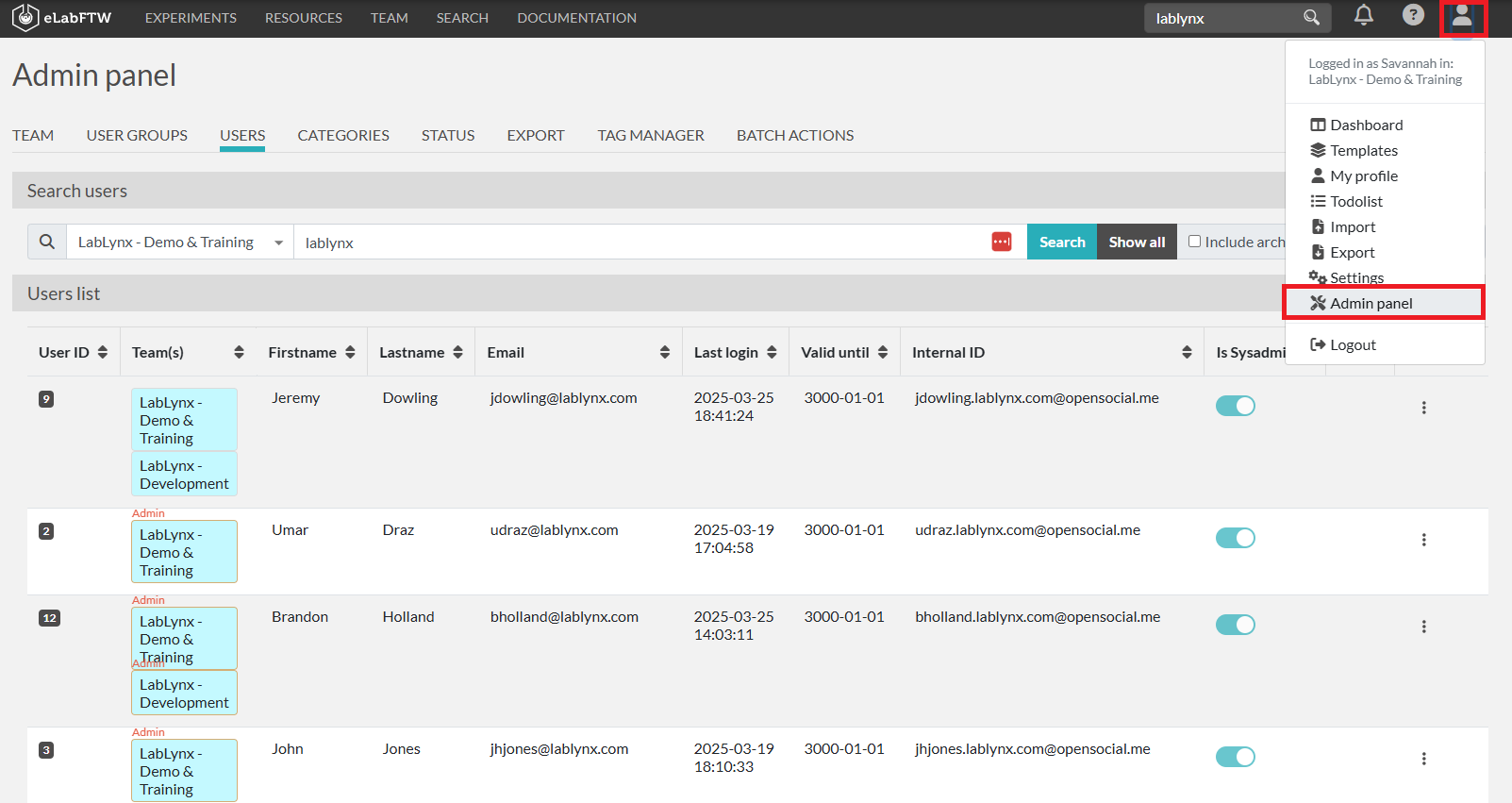
To view and manage your users:
Click on the person icon in the top right corner and select Admin Panel.
Go to the Users tab to see your list of users.
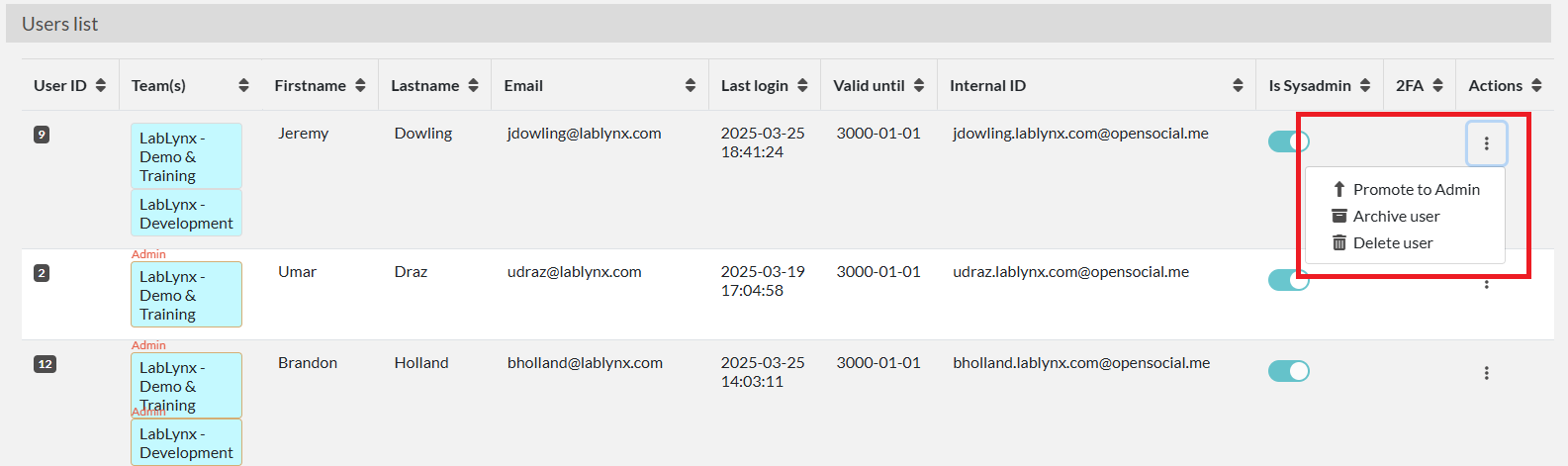
The Users tab in the Admin Panel allows you to modify user accounts. You can promote a user to admin, archive, or delete a user.
An archived user will no longer be able to log in and all of their experiments will be locked.
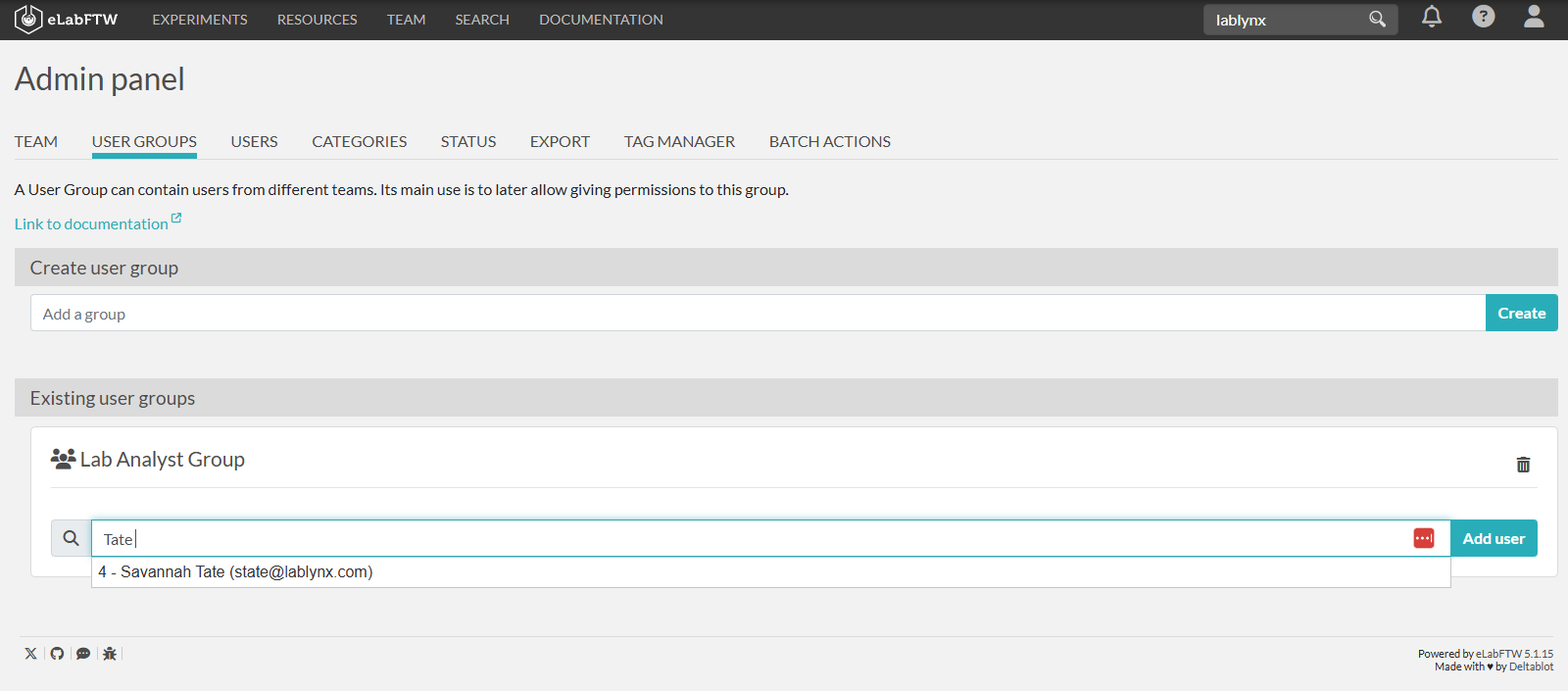
To view and manage your User Groups:
Click on the person icon in the top right corner and select Admin Panel.
Go to the Users Groups tab to see your User Groups and add Users to a User Group.